Is Screenshot Tool - Screen Capture & Editor Safe? — Extension Safety Profile
Quick verdict: Screenshot Tool - Screen Capture & Editor earns a safety grade B, 74.1 out of 100, based on 5 of 5 dimensions.
74.1/100
Grade B · 5 of 5 checks
What we found
Automated safety profile from public signals (the extension's manifest & permissions, store listing, publisher, privacy policy). A full review hasn't been published yet.
What this safety grade means
Screenshot Tool - Screen Capture & Editor earns a safety grade of B (74.1/100), measured across 5 of 5 dimensions. Its strongest area is Community Reputation (100%). The weakest is Maintenance & Ownership (30%) — what holds its grade back the most.
On the public records we can check, Screenshot Tool - Screen Capture & Editor looks broadly trustworthy. 1,000,000 active users/installs reported on the store. Store rating 4.7/5 from 4,900 user ratings. Last updated on the store 2025-01-29. This is an automated profile, not a hands-on review — so treat the grade as a starting point: open Screenshot Tool - Screen Capture & Editor's own store listing and privacy policy before installing, and weigh it against the other screenshots & screen recording extensions we track below.
Safety Signals
Based on 5 of 5 safety dimensions
| Dimension | Score | Bar | Source |
|---|---|---|---|
| Publisher & Identity | 60% · 4.8/8 pts | Automated signals | |
| Permissions & Access | 65% · 16.2/25 pts | Automated signals | |
| Data & Privacy | 100% · 16/16 pts | Automated signals | |
| Maintenance & Ownership | 30% · 2.3/7.5 pts | Automated signals | |
| Community Reputation | 100% · 10/10 pts | Automated signals |
In-depth safety analysis
This extension requests permission to read and alter data on all websites ( with scripting), and to use unlimited local storage. For a screenshot tool, that level of access is normal: it needs to capture content from any page you visit, and it may store captures, annotations, or settings locally.
Screenshot tools, by their nature, can see everything visible on a page, including private messages or financial details. A careful user should verify that an extension is legitimate before using it on sensitive sites. Additionally,
AI-assisted analysis of the documented signals above (permissions, store data, privacy practices) — explains what they mean and the risks typical for this category. Not a hands-on test.
What the store listing shows
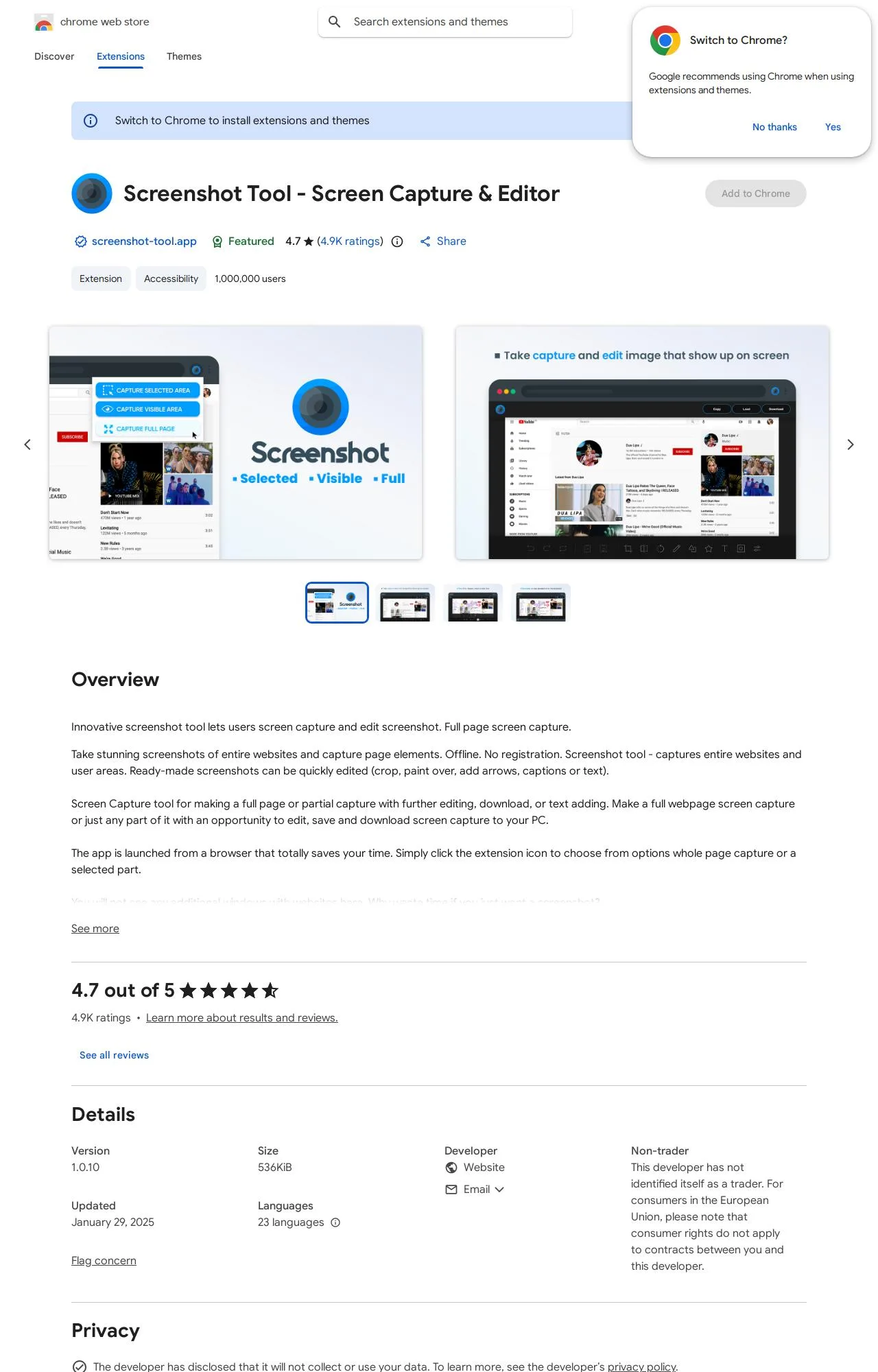
Who's Behind Screenshot Tool - Screen Capture & Editor?
- Publisher screenshot-tool.app
Public records identify the publisher, but no individual founders or a separate registered company are named — which is what holds the Publisher & Identity score back. Less public information about who operates an extension means less you can verify about their long-term accountability.
How it compares
Among the 7 Screenshots & Screen Recording extensions we track, Screenshot Tool - Screen Capture & Editor scores higher on safety than 43% of them.
Computed from our own database of assessed Screenshots & Screen Recording extensions — updated as we track more.
Evidence on File (12)
Screenshot Tool - Screen Capture & Editor FAQ
- Is Screenshot Tool - Screen Capture & Editor safe?
- Screenshot Tool - Screen Capture & Editor earns a safety grade of B (74.1/100) on our evidence-based assessment, based on 5 of 5 safety dimensions we could verify from public records. This is an automated profile built from public records, not a hands-on review.
- Who is behind Screenshot Tool - Screen Capture & Editor?
- Screenshot Tool - Screen Capture & Editor is operated by screenshot-tool.app.
Alternatives we track
Compare Screenshot Tool - Screen Capture & Editor head-to-head:
Browse all browser extensions we've checked → · Best Screenshots & Screen Recording extensions