Is Screen Recorder for Google Chrome Safe? — Extension Safety Profile
Quick verdict: Screen Recorder for Google Chrome earns a safety grade A, 92.8 out of 100, based on 5 of 5 dimensions.
92.8/100
Grade A · 5 of 5 checks
What we found
Automated safety profile from public signals (the extension's manifest & permissions, store listing, publisher, privacy policy). A full review hasn't been published yet.
What this safety grade means
Screen Recorder for Google Chrome earns a safety grade of A (92.8/100), measured across 5 of 5 dimensions. Its strongest area is Maintenance & Ownership (100%). The weakest is Publisher & Identity (60%) — what holds its grade back the most.
On the public records we can check, Screen Recorder for Google Chrome comes through cleanly. 600,000 active users/installs reported on the store. Store rating 4.2/5 from 18,100 user ratings. Last updated on the store 2026-07-10. This is an automated profile, not a hands-on review — so treat the grade as a starting point: open Screen Recorder for Google Chrome's own store listing and privacy policy before installing, and weigh it against the other screenshots & screen recording extensions we track below.
Safety Signals
Based on 5 of 5 safety dimensions
| Dimension | Score | Bar | Source |
|---|---|---|---|
| Publisher & Identity | 60% · 4.8/8 pts | Automated signals | |
| Permissions & Access | 100% · 25/25 pts | Automated signals | |
| Data & Privacy | 100% · 16/16 pts | Automated signals | |
| Maintenance & Ownership | 100% · 7.5/7.5 pts | Automated signals | |
| Community Reputation | 84% · 8.4/10 pts | Automated signals |
In-depth safety analysis
This extension requests only three permissions: offscreen, storage, and unlimitedStorage. The offscreen API allows it to perform background tasks like audio capture or document processing without a visible window, which is typical for a screen recorder. The storage permissions let it save recordings and settings locally on your device. This is a minimal and appropriate permission set for its function, and it does not request access to browsing history, tabs, or page content.
Screen recording tools in general can be misused if they capture sensitive on-screen information, such as passwords or private conversations. A careful user should always confirm what is being recorded and where the files are saved. Since this extension stores data locally and the developer states data is not sold or used for unrelated purposes, the risk of unwanted data sharing is low, but you should still review the recording output and manage file storage yourself.
The strongest dimension in the fact sheet is Maintenance & Ownership, which suggests the extension is actively updated and well-maintained. The weakest is Publisher & Identity, which indicates limited transparency about the entity behind the tool. While this does not imply any specific wrongdoing, it means you have less public information to assess the publisher's long-term trustworthiness.
AI-assisted analysis of the documented signals above (permissions, store data, privacy practices) — explains what they mean and the risks typical for this category. Not a hands-on test.
What the store listing shows
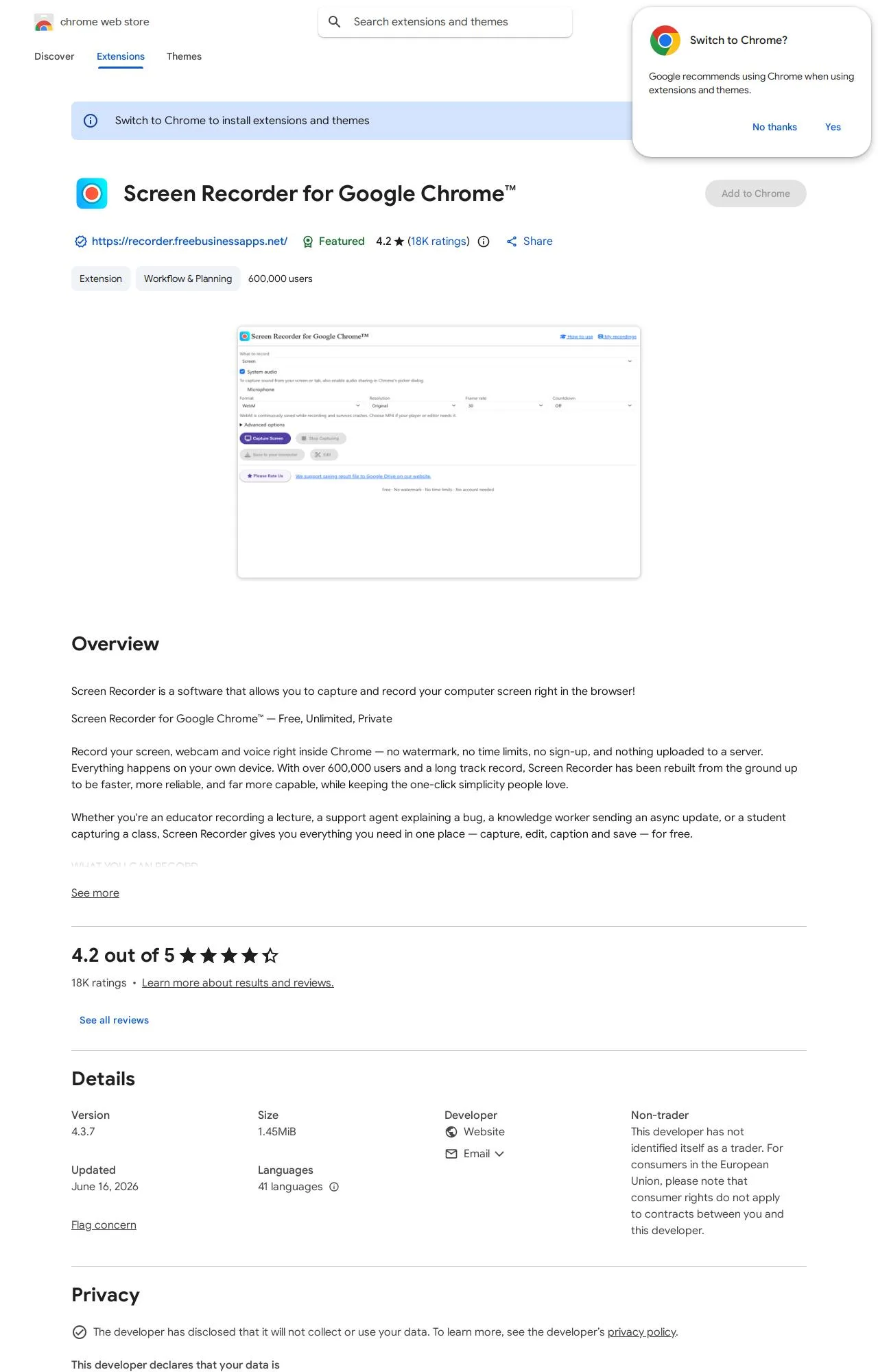
Who's Behind Screen Recorder for Google Chrome?
- Publisher https://recorder.freebusinessapps.net/
Public records identify the publisher, but no individual founders or a separate registered company are named — which is what holds the Publisher & Identity score back. Less public information about who operates an extension means less you can verify about their long-term accountability.
How it compares
Among the 7 Screenshots & Screen Recording extensions we track, Screen Recorder for Google Chrome has the highest safety score.
Computed from our own database of assessed Screenshots & Screen Recording extensions — updated as we track more.
Evidence on File (12)
Screen Recorder for Google Chrome FAQ
- Is Screen Recorder for Google Chrome safe?
- Screen Recorder for Google Chrome earns a safety grade of A (92.8/100) on our evidence-based assessment, based on 5 of 5 safety dimensions we could verify from public records. This is an automated profile built from public records, not a hands-on review.
- Who is behind Screen Recorder for Google Chrome?
- Screen Recorder for Google Chrome is operated by https://recorder.freebusinessapps.net/.
Alternatives we track
Browse all browser extensions we've checked → · Best Screenshots & Screen Recording extensions