Is Annotate the Web Safe? — Extension Safety Profile
Quick verdict: Annotate the Web earns a safety grade B, 71.1 out of 100, based on 5 of 5 dimensions.
71.1/100
Grade B · 5 of 5 checks
What we found
Automated safety profile from public signals (the extension's manifest & permissions, store listing, publisher, privacy policy). A full review hasn't been published yet.
What this safety grade means
Annotate the Web earns a safety grade of B (71.1/100), measured across 5 of 5 dimensions. Its strongest area is Community Reputation (100%). The weakest is Publisher & Identity (60%) — what holds its grade back the most.
On the public records we can check, Annotate the Web looks broadly trustworthy. Store rating 4.5/5 from 11 user ratings. Last updated on the store 2025-10-23. This is an automated profile, not a hands-on review — so treat the grade as a starting point: open Annotate the Web's own store listing and privacy policy before installing, and weigh it against the other productivity extensions we track below.
Safety Signals
Based on 5 of 5 safety dimensions
| Dimension | Score | Bar | Source |
|---|---|---|---|
| Publisher & Identity | 60% · 4.8/8 pts | Automated signals | |
| Permissions & Access | 65% · 16.2/25 pts | Automated signals | |
| Data & Privacy | 83% · 13.2/16 pts | Automated signals | |
| Maintenance & Ownership | 60% · 4.5/7.5 pts | Automated signals | |
| Community Reputation | 100% · 5/5 pts | Automated signals |
In-depth safety analysis
This extension requests broad permissions: activeTab to access the current page on demand, storage to save annotations, scripting to inject its annotation tools, and host access to work on any website. For a productivity tool that lets you annotate web pages, asking for such wide access is typical—it needs to read and modify page content everywhere to function. However, is a powerful permission that could theoretically allow it to read data from any site you visit, so a careful user should ensure they trust the developer.
Annotation extensions fall into a category where the tool inherently sees the pages you browse. While this is necessary for the feature, users should be aware that the developer’s privacy practices are self-declared (they state data is not sold or misused). The strongest safety dimension here is Community Reputation, with a perfect score and positive user ratings, indicating that current users haven’t flagged obvious issues. The weakest dimension is Publisher & Identity, which scored lower, meaning there is limited public information about the developer. This doesn’t imply wrongdoing, but it’s a factor to weigh when granting extensive access to your browsing activity.
AI-assisted analysis of the documented signals above (permissions, store data, privacy practices) — explains what they mean and the risks typical for this category. Not a hands-on test.
What the store listing shows
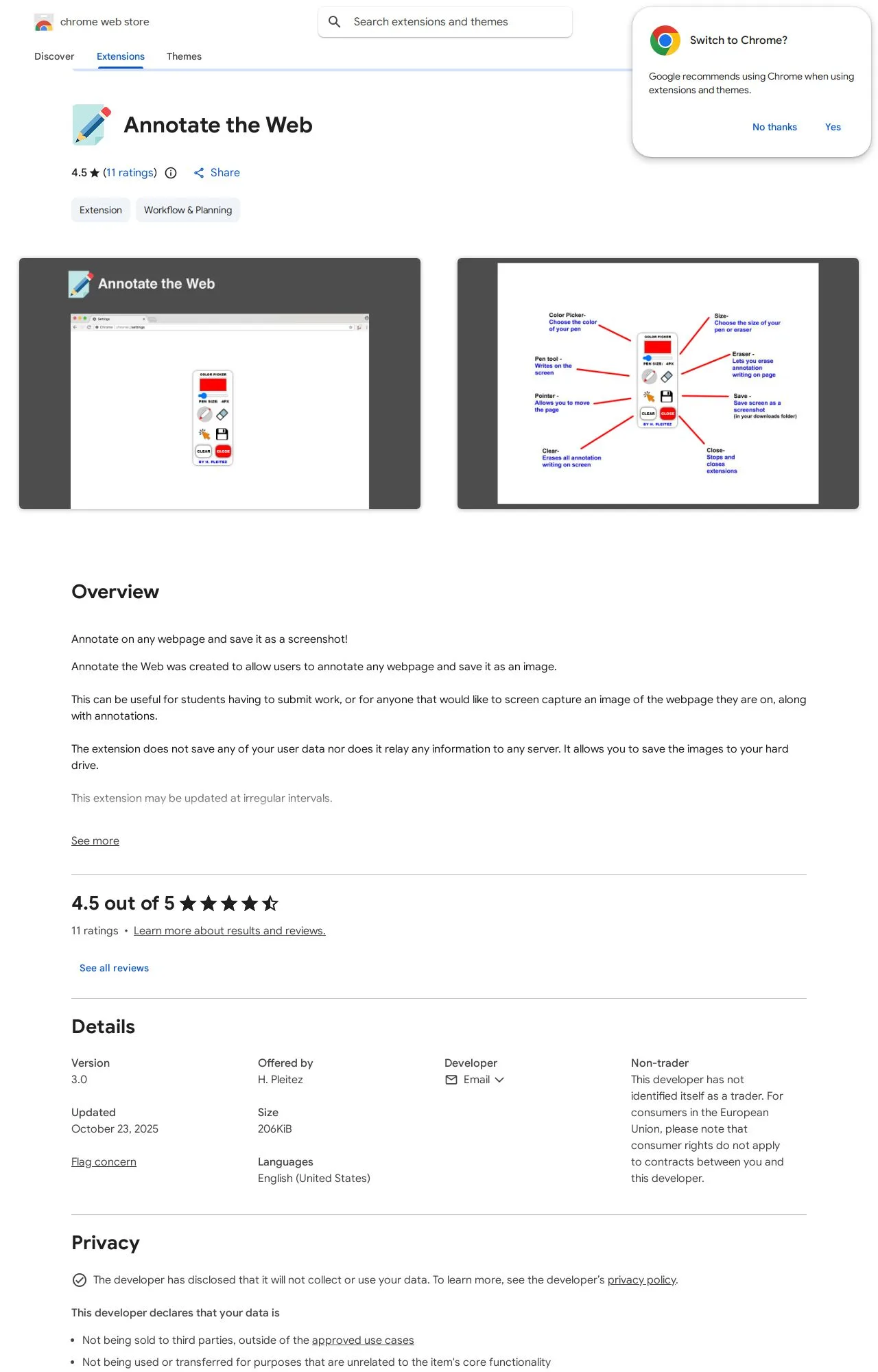
Who's Behind Annotate the Web?
- Publisher H. Pleitez
Public records identify the publisher, but no individual founders or a separate registered company are named — which is what holds the Publisher & Identity score back. Less public information about who operates an extension means less you can verify about their long-term accountability.
How it compares
Among the 25 Productivity extensions we track, Annotate the Web scores higher on safety than 28% of them.
Computed from our own database of assessed Productivity extensions — updated as we track more.
Evidence on File (11)
Annotate the Web FAQ
- Is Annotate the Web safe?
- Annotate the Web earns a safety grade of B (71.1/100) on our evidence-based assessment, based on 5 of 5 safety dimensions we could verify from public records. This is an automated profile built from public records, not a hands-on review.
- Who is behind Annotate the Web?
- Annotate the Web is operated by H. Pleitez.
Alternatives we track
 Anywhere stickers - simple sticky notes A
 Browse all browser extensions we've checked → · Best Productivity extensions